Building My STEM Portfolio Website
As a STEM enthusiast, I wanted to create a website that showcases my projects and interests. I decided to build a static website using HTML, CSS, and JavaScript. Since we had already been learning the basics of HTML in school and I had built my first complete website there, I thought building a portfolio website would be the best way to demonstrate my interest in STEM. Here is my old website from school:
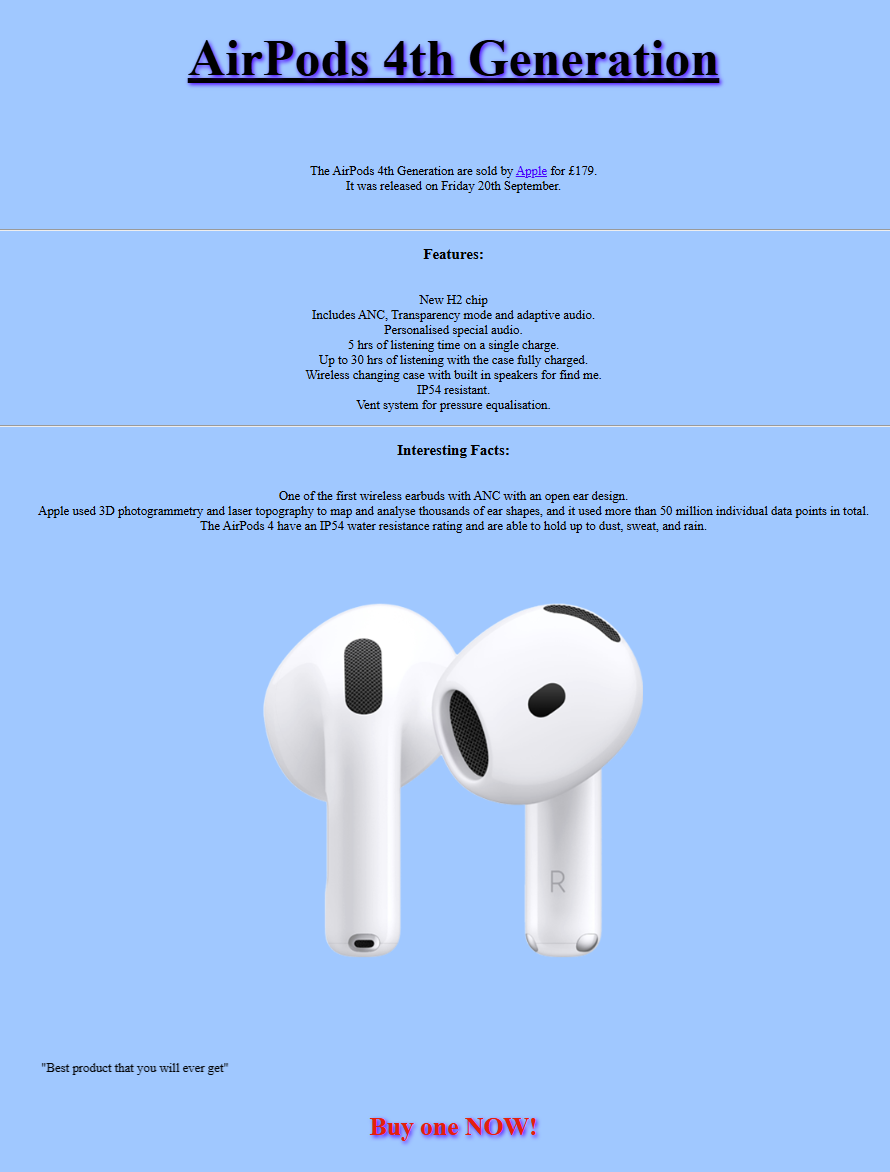
Starting Point
This website started as a Visual Studio Code project, building upon my experience creating an AirPods showcase website in school. Using W3Schools as a reference, I began with the basic HTML skeleton structure and expanded from there.
<!DOCTYPE html>
<html lang="en">
<head>
    <meta charset="UTF-8">
    <meta name="viewport" content="width=device-width, initial-scale=1.0">
    <title>Portfolio</title>
</head>
<body>
    // Content here
</body>
</html>
This basic structure serves as the foundation for every HTML page. From here, I built up the content, styling, and interactivity.
Building Components
After establishing the basic structure, it was all about expanding on it. The navigation bar was my first major component, designed to provide easy access to different sections of the site. I implemented consistent styling using CSS variables to maintain a cohesive look across all pages.
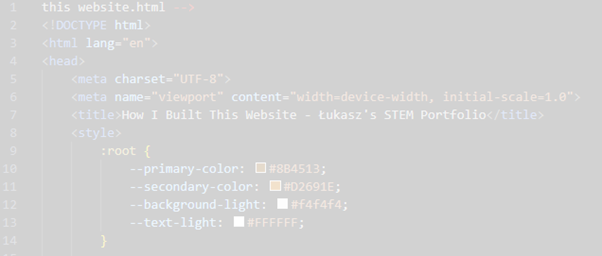
Development Environment
Tools I Used
- Visual Studio Code: My main code editor with syntax highlighting and auto-completion
- W3Schools: Reference documentation for HTML, CSS, and JavaScript
- Browser DevTools: Testing and debugging layout issues
- Git: Version control to track changes and prevent losing work
AWS Deployment
Cloud Infrastructure
For deployment, I leveraged several AWS services:
- Amazon S3: Hosts the static website files (HTML, CSS, JavaScript, images, videos)
- Route 53: Manages the domain registration and DNS settings for niezgodabros.com
- AWS Amplify: Ensures fast content delivery and provides HTTPS security
Throughout development, Visual Studio Code served as my main webpage development environment, making it easier to organize and edit the multiple HTML files that make up this site.
Website Structure
The website consists of several interconnected pages:
- index.html: Main landing page introducing my pipe organ portfolio
- technical.html: Technical details about how organs work, with videos and explanations
- paperorgan.html: Documentation of my paper organ building project
- performances.html: Table of organs I've visited across UK, Poland, and Philippines
- How-I-built-this-website.html: This page, documenting the web development process
Each page maintains consistent styling while serving its unique purpose in showcasing my STEM journey.
Challenges Overcome
Image Carousel Challenge
One major challenge in building this website was creating an image carousel. This feature requires JavaScript to handle image transitions, navigation buttons, and automatic cycling. It was particularly challenging because it involved:
- DOM manipulation to change displayed images
- Event listeners for navigation buttons
- Timing functions for automatic advancement
- CSS positioning for smooth transitions
Luckily, I followed a step-by-step tutorial that explained the concepts clearly, helping me understand both the HTML structure, CSS styling, and JavaScript logic needed to make it work.
What I Learned
HTML Skills
- Semantic markup for better structure
- Proper use of headings, paragraphs, lists
- Embedding videos and images
- Creating tables for data presentation
- Forms and input elements
CSS Styling
- Responsive design principles
- Flexbox and Grid layouts
- CSS variables for consistent theming
- Transitions and animations
- Mobile-first design approach
JavaScript Functionality
- DOM manipulation
- Event handling
- Timing functions
- Image carousel implementation
- Debugging with console.log()
Cloud Deployment
- Amazon S3 bucket configuration
- Route 53 domain management
- Static website hosting
- HTTPS security setup
- Content delivery optimization
Why This Demonstrates STEM Skills
Building this website required:
- Problem-Solving: Debugging code when features didn't work as expected
- Logical Thinking: Structuring code and content in organized, maintainable ways
- Attention to Detail: Ensuring consistent styling and fixing typos in code
- Learning from Resources: Using documentation and tutorials to expand my skills
- Project Management: Planning site structure, creating content, testing, and deploying
- Technical Communication: Presenting complex information clearly for readers
Connection to Other STEM Interests
Web development connects to my other interests:
- Physics: Understanding how browsers render pages involves computational processes
- Mathematics: CSS positioning uses coordinates and mathematical calculations
- Engineering: Website architecture requires systematic design thinking
- Music: Organizing website structure mirrors composing music—both require harmony and flow
Future Improvements
As I continue learning, I plan to:
- Add interactive elements like audio players for organ recordings
- Implement a blog section for ongoing documentation of new organ visits
- Create a more sophisticated image gallery system
- Add search functionality to find specific organs
- Optimize loading times for better performance
- Implement analytics to understand visitor engagement