How I Built My Portfolio Website
Static Website Hosting & AWS Deployment
Overview
I wanted to create a personal portfolio website to showcase my STEM and music achievements. I designed and coded the site myself, then used Amazon Web Services (AWS) to host it as a static website. Here’s how I did it:
- Static HTML/CSS: Wrote all code by hand using HTML and CSS for a fast, lightweight site.
- AWS S3: Hosted all website files (HTML, CSS, images) in an S3 bucket configured for static website hosting.
- Route 53: Registered my custom domain and managed DNS records for my site.
- AWS Amplify: Used Amplify to stage and deploy new versions of the website easily.
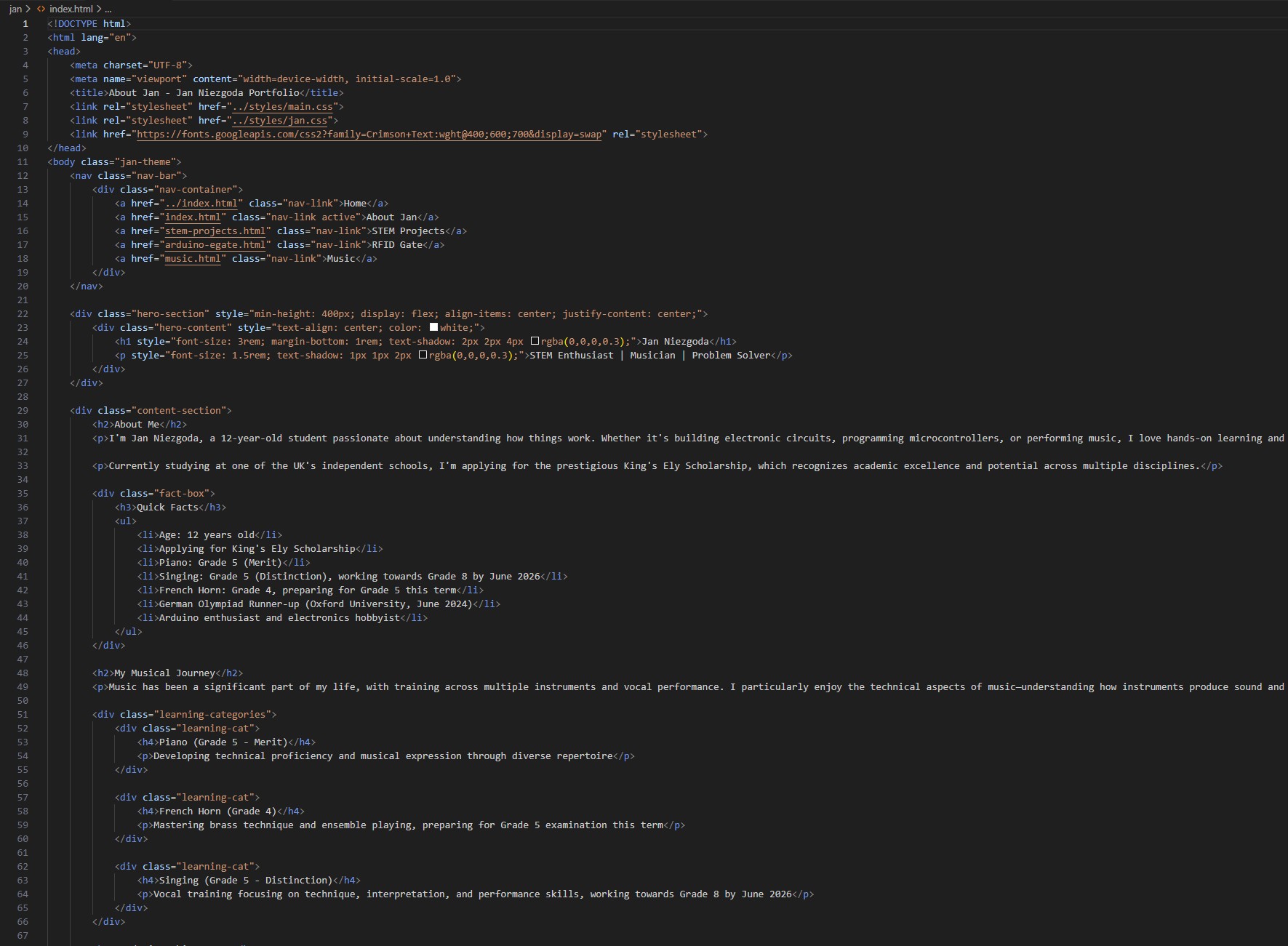
Code Sample
Below is a sample of the HTML code I wrote for my portfolio homepage:
Deploying to AWS S3
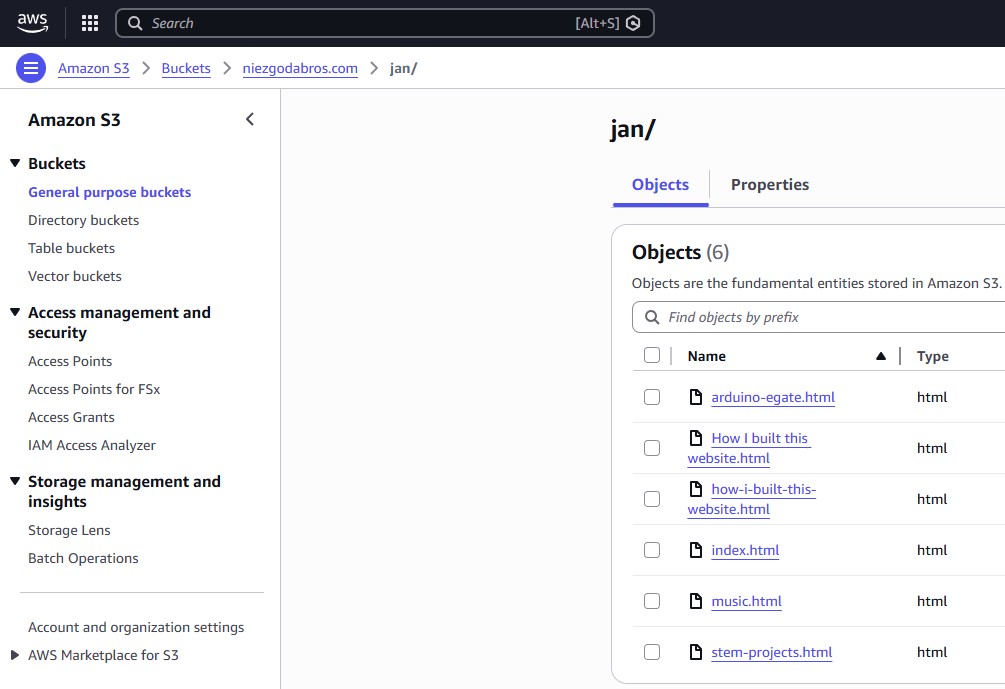
After writing and testing my code locally, I uploaded the files to an AWS S3 bucket. S3 makes it easy to host static websites with high reliability and global reach.
Domain & Amplify
- Route 53: I registered my domain and set up DNS so visitors can access my site easily.
- AWS Amplify: I used Amplify to automate deployment and preview changes before going live.
Want to see the full annotated HTML code?
Download the annotated website code (TXT)